Practical guides
How to block apps on iPhone without a subscription
Choose the apps that interrupt you, set a clear boundary, and keep essential apps available.
You open your phone to answer one message. A few minutes later you are in a feed, and the reason you picked it up has disappeared. A useful app boundary starts with that specific moment. You do not need to block your whole phone or change every habit at once.
Choose one interruption
Pick an app you repeatedly open when you meant to do something else. A named app is often easier to start with than an entire category. Think about what you still need during the boundary: a call from family, maps on the way home, or messages from work.
Set up a boundary in RLX
- Open RLX and allow Screen Time access when you are ready to use protection.
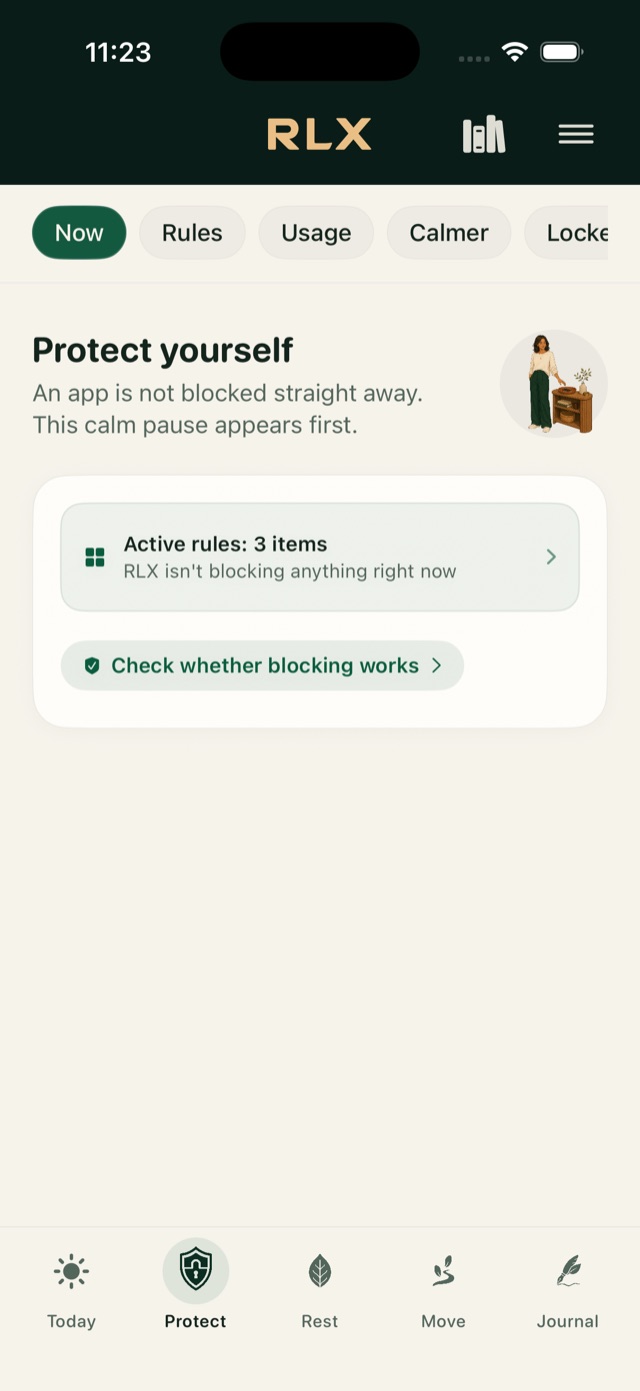
- Open Protect and create a rule. Use Apple's picker to choose your apps or categories.
- Choose a time window, a daily limit, or continuous blocking. Start with one rule whose effect you understand.
- Review Always Allowed. An app you explicitly keep available can remain open despite another selection.
- During the active window, open a selected app and check the result on your own iPhone.
A schedule and a daily limit do different jobs. A schedule helps when the problem happens at a predictable time. A daily limit helps when you want a total allowance across the day. RLX lets you edit those choices without a subscription.
Keep the first rule small
If you only need a quiet evening, do not begin with an all-day restriction. Choose an end time you can explain in one sentence. Leave essential communication available. Avoid a strict or locked arrangement until you understand its exit conditions and actually want that commitment.
After a few days, review whether the rule covered the moment you intended. If the interruption happens earlier, move the time. If another app fills the same gap, decide whether it belongs in the selection. Treat that as editing a practical setting, not as a score of your willpower.
Give yourself a next step
A blocked feed leaves a small empty space. Decide what you want to do in it: return to your task, make tea, or take a short pause. RLX also includes breathing, quiet moments and writing, but you do not have to use them to benefit from app protection.
RLX is free to use, with no subscription, account or advertising. Apple controls Screen Time authorization, so protection depends on the access you grant and the settings on your device. The useful test is simple: does the chosen app stay closed when your rule says it should?
Free. No account, subscription or advertising.